Features
Everything in Midoka, and what is coming next.
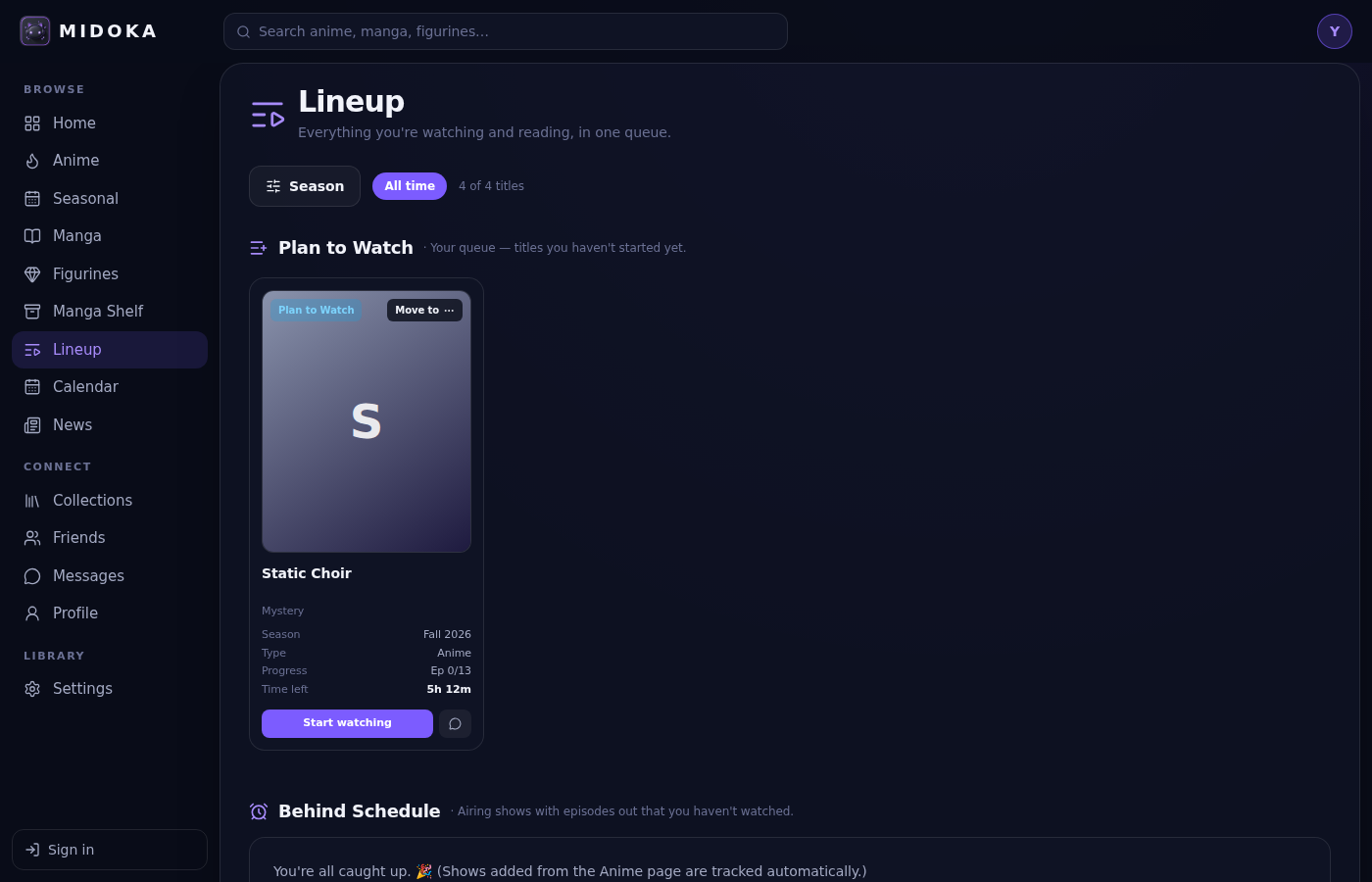
Lineup
One queue for everything in progress, sorted the way you think about it.
- Plan to Watch, Behind Schedule, Watching, Reading, On Hold & Dropped, Completed
- +1 and −1 buttons, plus a Move to menu to complete, hold or drop
- Pick one or many seasons to see your history
- Time to Finish shows how many hours are left
midoka.app
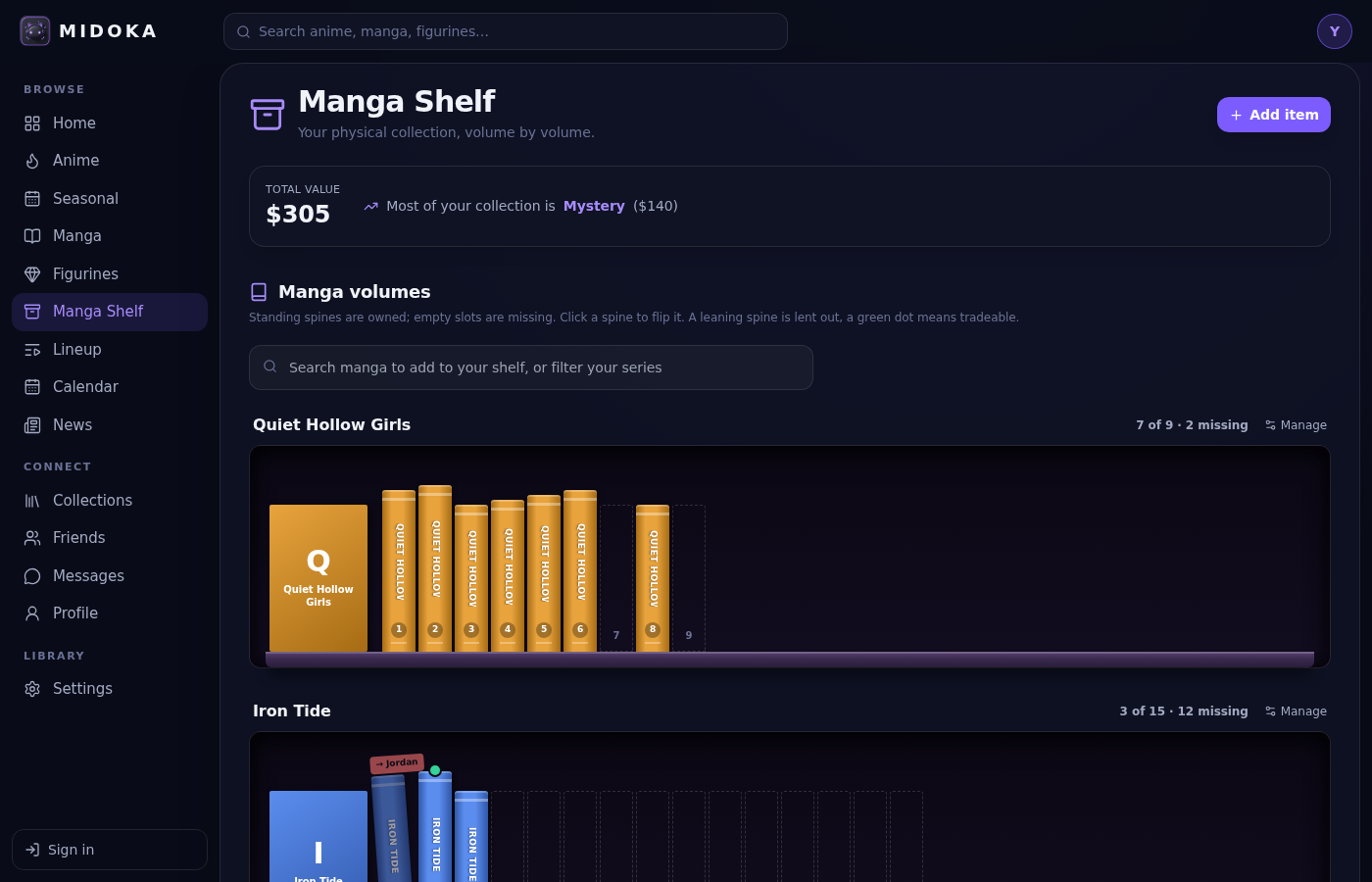
Manga shelf
A bookcase for the manga you actually own, volume by volume.
- Real-looking shelves with a cover and a spine for every volume
- Standing spines are owned, empty slots are missing, so gaps show at a glance
- Lending flags for volumes you loaned out, and trade flags for ones you would swap
- Search any series to add it, and see the total value of your collection
midoka.app
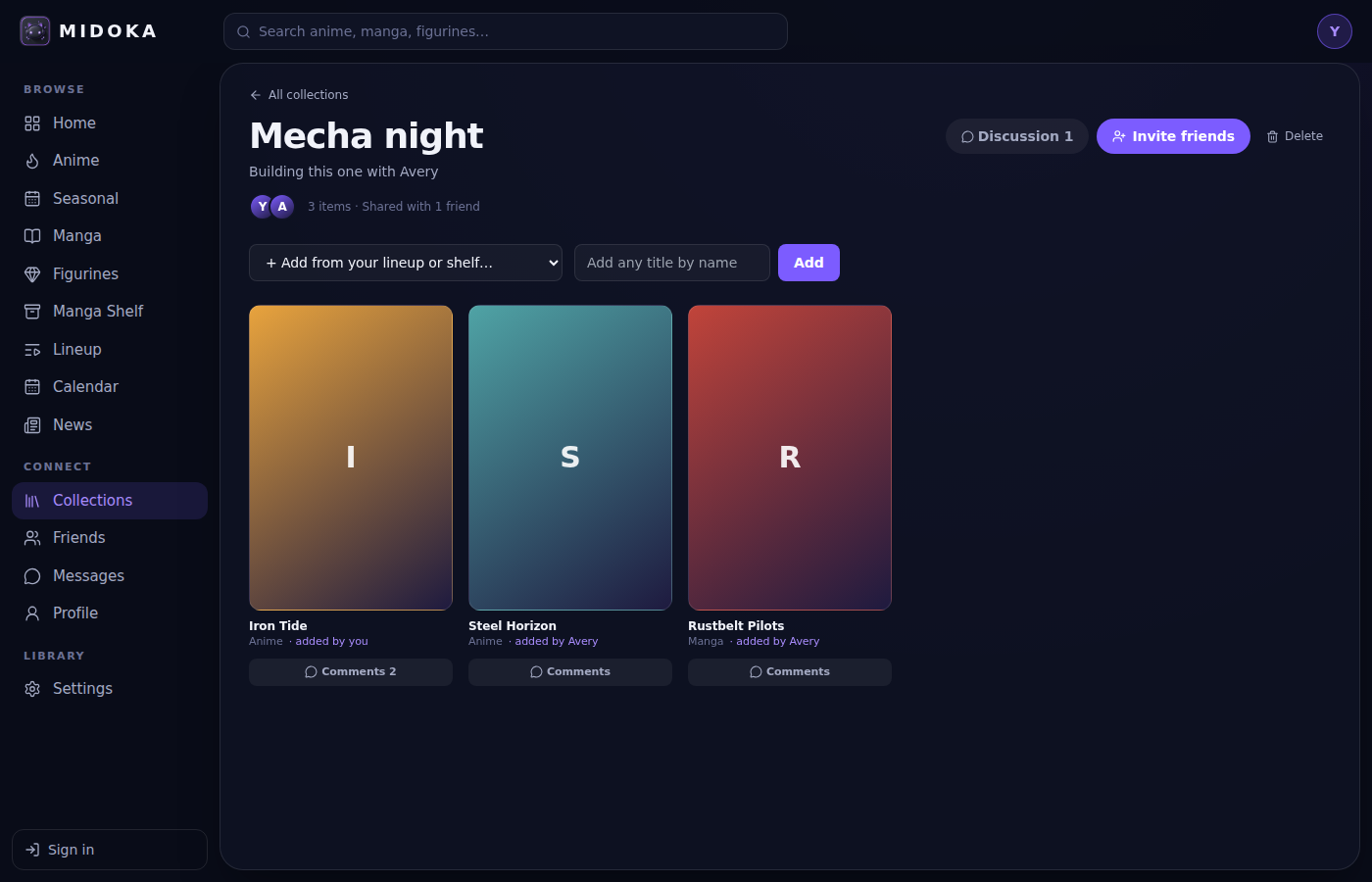
Collections and figurines
Keep a physical record next to your watch list.
- Figurines with maker, scale, value and pre-order status
- Collections you can build together with friends
- Comments on every title in a shared collection
- A discussion thread for each shared collection
midoka.app
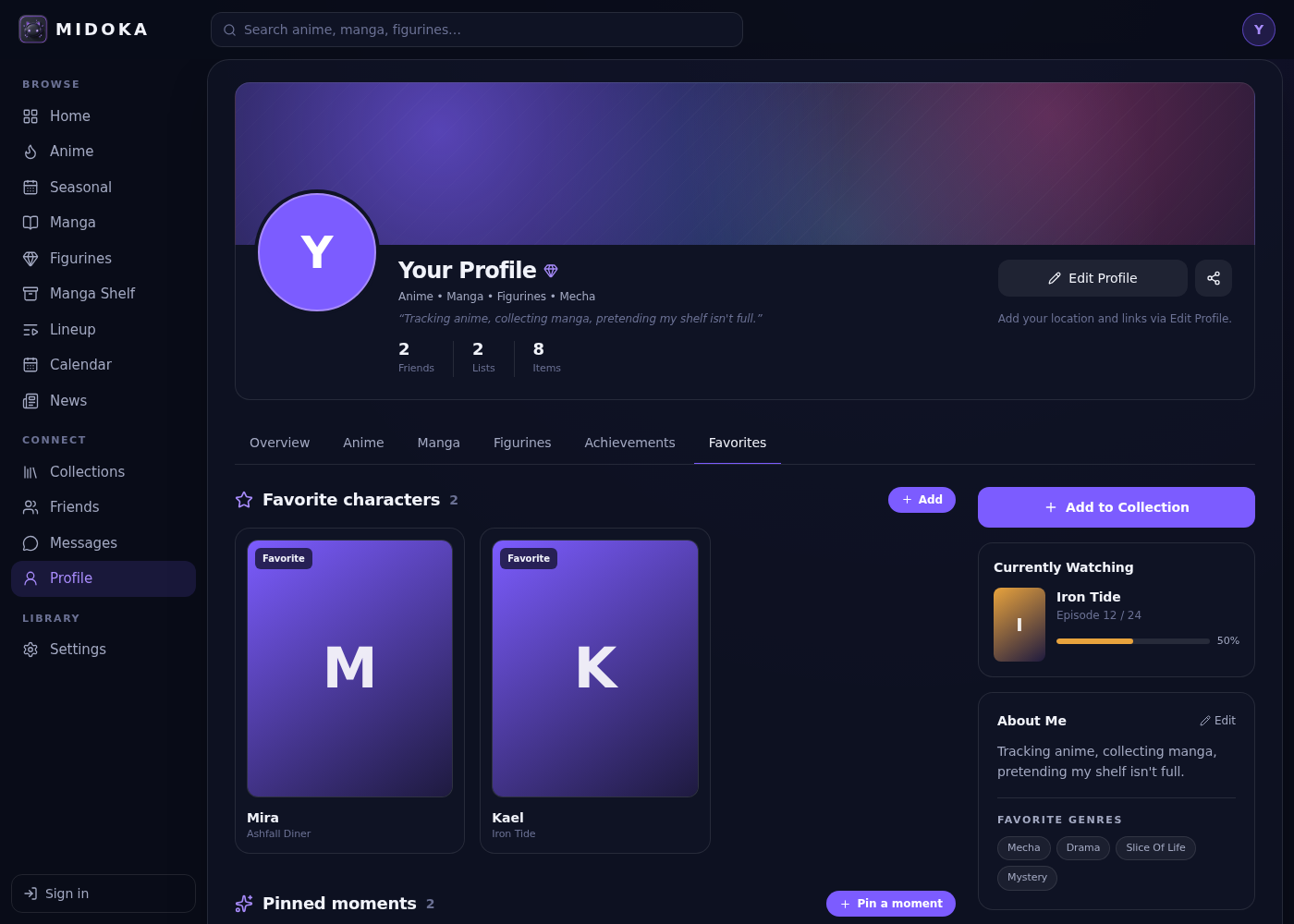
Profile and friends
A profile worth visiting.
- Favorite characters and pinned moments
- Achievements for the things you actually do
- Friends, messaging and activity you control
- Edit your photo, wallpaper and About Me
midoka.app
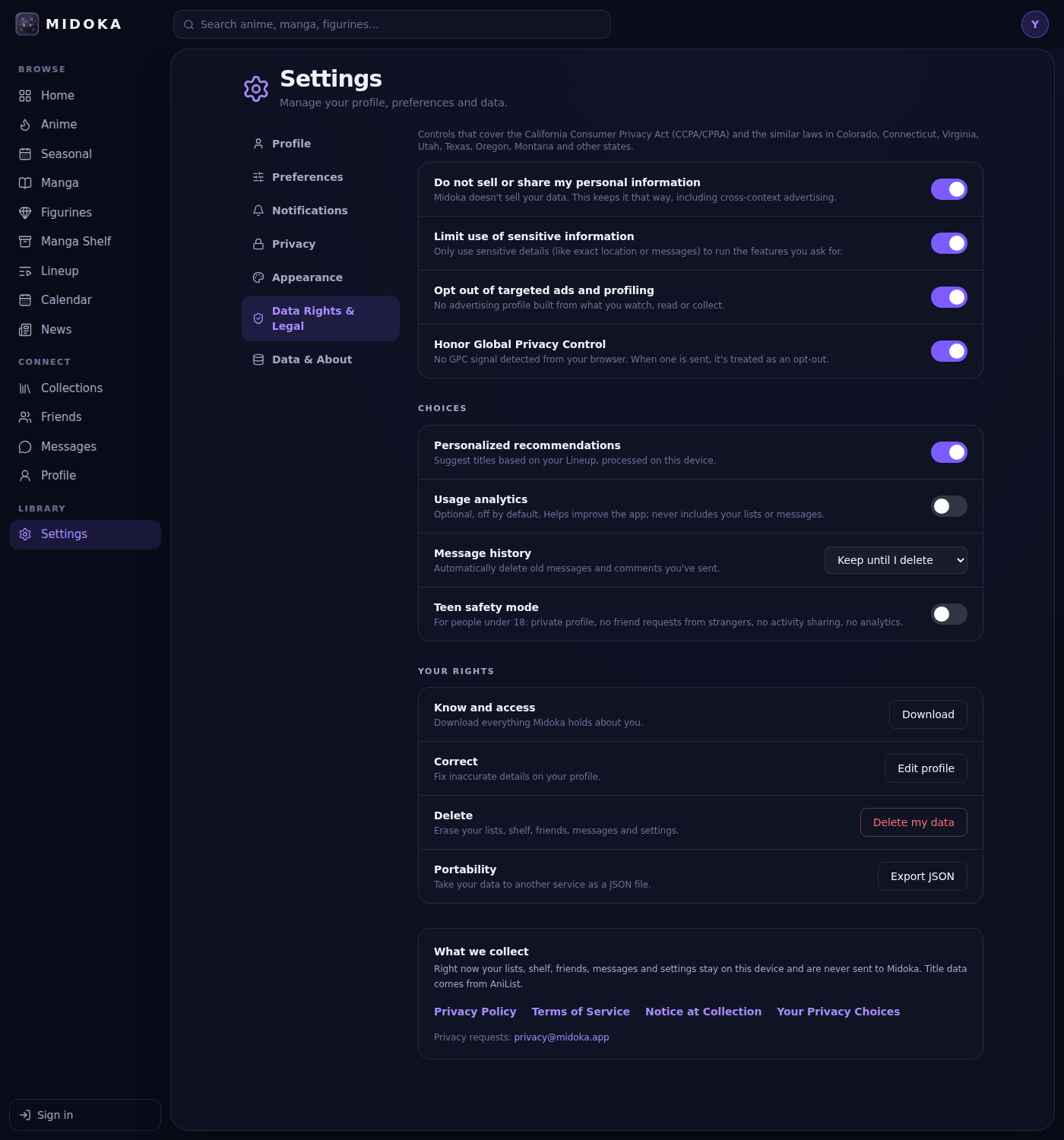
Privacy controls
Settings that follow California and other US state privacy laws.
- Do not sell or share, limit sensitive data, opt out of targeted ads
- Global Privacy Control support
- Download, correct or delete your data any time
- Teen safety mode
midoka.app
Coming soon
Accounts and sync
Use Midoka on every device.
Mobile apps
iOS and Android.
Release alerts
Know the moment an episode drops.